Top 10 Mistakes to Avoid When Installing Your New Security System
Introduction
When you decide to install a new security system, it’s easy to get excited about the idea of enhanced safety and peace of mind. But beware! Installing a security system isn’t as simple as just hanging a few cameras and setting an alarm. There are common pitfalls that can turn your security investment into a major headache. In this guide, we’ll walk you through the top 10 mistakes to avoid, so you can make sure your security system works flawlessly from day one.
Mistake 1: Skipping the Professional Consultation
You might think you know exactly what you need for your home, but skipping a professional consultation is a big mistake. Experts bring invaluable knowledge about the latest technology and best practices for securing your specific type of property.
Importance of Expert Advice
Professionals can assess your home’s vulnerabilities, recommend the right equipment, and provide tailored solutions. Their expertise ensures that you’re not just buying a security system but investing in one that will effectively meet your needs.
How Professionals Assess Your Security Needs
A professional will conduct a thorough evaluation of your property, including entry points, blind spots, and areas of high risk. They’ll take into account factors like your home’s layout, neighborhood crime statistics, and your personal security concerns.
Mistake 2: Choosing the Wrong Security System for Your Needs
Choosing a security system without understanding your actual needs can lead to ineffective protection. Not all systems are created equal, and what works for one home might not work for another.
Types of Security Systems
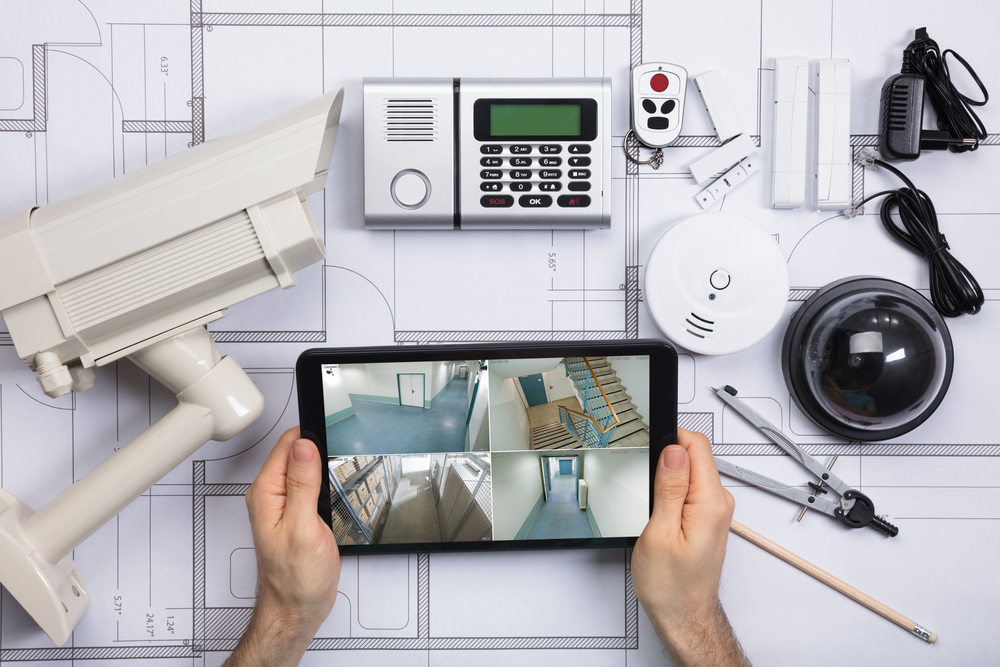
From basic alarms to advanced smart home systems with integrated cameras, the market offers various options. Some systems are wired, while others are wireless, and each has its own set of features and benefits.
How to Match Your System to Your Home
Consider the size of your home, the number of entry points, and your specific security concerns. For instance, a large property might require a system with more cameras and sensors than a small apartment.
Mistake 3: Improper Placement of Cameras and Sensors
Camera and sensor placement can make or break the effectiveness of your security system. Installing them in the wrong spots can leave blind spots or fail to cover critical areas.
Common Placement Errors
Placing cameras too high or too low can affect their field of view. Similarly, sensors that are not properly positioned might not detect movement or breaches as intended.
Tips for Effective Camera Placement
Ensure cameras cover all entry points and vulnerable areas. Install them at a height where they can capture clear footage but are not easily tampered with. Use sensors in high-traffic areas and near windows and doors.
Mistake 4: Neglecting to Test Your System
Testing your security system after installation is crucial. A system that isn’t properly tested might fail when you need it the most.
The Importance of Testing
Testing ensures that all components are functioning correctly and that there are no issues with connectivity or performance. It also helps you familiarize yourself with the system’s features and settings.
How to Conduct a Comprehensive System Test
Run through all functions of your system, including alarms, sensors, and cameras. Check for any blind spots or areas where the system might not be working as expected. Make sure you understand how to operate the system and respond to alerts.
Mistake 5: Failing to Update Software and Firmware
Outdated software and firmware can leave your system vulnerable to security breaches. Regular updates are essential to keep your system protected from the latest threats.
Why Regular Updates Matter
Manufacturers release updates to fix bugs, patch vulnerabilities, and add new features. Keeping your system up-to-date ensures it operates efficiently and securely.
How to Keep Your System Up-to-Date
Set reminders to check for updates or enable automatic updates if your system supports it. Regularly review the manufacturer’s website or user manual for any available updates.
Mistake 6: Overlooking User Training
Even the best security system won’t be effective if users don’t know how to operate it properly. Training is a crucial step that is often overlooked.
Training Family Members
Ensure that everyone in your household understands how to use the security system, including how to arm and disarm it, respond to alerts, and use any mobile apps or control panels.
Importance of Understanding System Features
Knowing the features and functions of your system helps you use it to its full potential. It also ensures that all family members can handle emergencies effectively.
Mistake 7: Ignoring Maintenance Requirements
A security system is not a “set it and forget it” device. Regular maintenance is needed to ensure it continues to operate effectively.
Routine Maintenance Tasks
Routine tasks include checking the batteries in sensors and cameras, cleaning camera lenses, and verifying that all components are functioning correctly.
How to Schedule Regular Check-ups
Set up a maintenance schedule and stick to it. You can also contact your security system provider for professional check-ups and servicing.
Mistake 8: Inadequate Integration with Other Home Systems
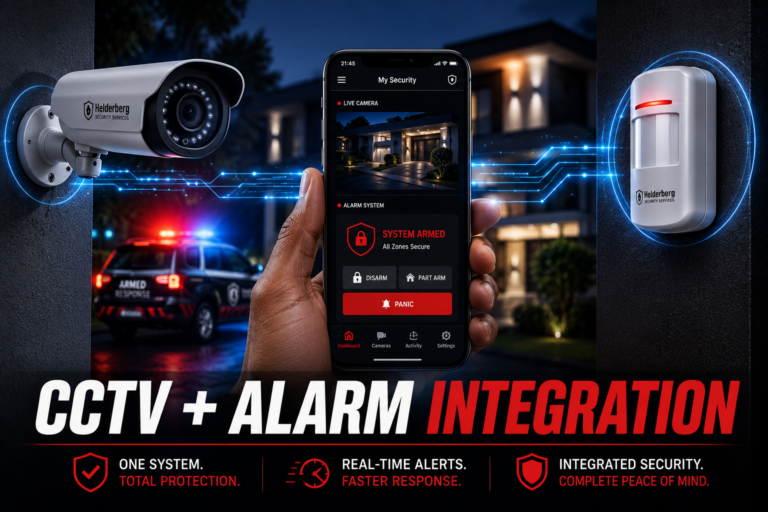
A security system that doesn’t integrate with other smart home devices can limit its effectiveness and convenience.
Benefits of System Integration
Integration allows your security system to work seamlessly with other devices like smart locks, lights, and thermostats. This enhances overall security and provides a more cohesive home automation experience.
How to Integrate with Smart Home Devices
Choose a security system that supports integration with your existing smart home devices. Follow manufacturer guidelines to set up and configure the connections.
Mistake 9: Poor Wiring and Connectivity
Proper wiring and connectivity are crucial for the reliable operation of your security system. Poor installation can lead to connectivity issues and system failures.
Common Wiring Issues
Common problems include loose connections, incorrect wiring, and interference from other electronic devices. These issues can affect system performance and reliability.
Best Practices for Proper Wiring
Follow installation guidelines carefully and use high-quality cables and connectors. Ensure that all wiring is secure and free from damage. Consider professional installation if you’re unsure about wiring.
Mistake 10: Not Considering Future Expansion
Planning for future expansion is often overlooked during installation. As your needs change, your security system should be able to adapt.
Planning for Growth
Choose a system that can be easily upgraded or expanded. Consider features like additional sensors or cameras that can be added later.
How to Ensure Your System is Scalable
Select a system with modular components and scalability options. Work with your security provider to plan for potential future needs and upgrades.
Conclusion
Installing a security system is a significant investment in your home’s safety and your peace of mind. Avoiding these common mistakes can help ensure that your system provides the protection you need and operates smoothly. For professional advice and installation services, check out Security System Installation.
Frequently Asked Questions (FAQs)
Look for a thorough assessment of your home’s security needs, recommendations tailored to your specific situation, and clear explanations of the available options.
Consider factors like the size of your home, the type of property, your specific security concerns, and whether you need a wired or wireless system.
Signs include malfunctioning sensors or cameras, reduced battery life, and inconsistent system performance.
Check for updates regularly, and set reminders to ensure your system remains up-to-date with the latest security patches and features.
Yes, many modern security systems support integration with smart home devices like locks, lights, and thermostats, enhancing convenience and overall security.